Helpful time management apps for students
By Dr. V.S. Gayathri ·
learning school
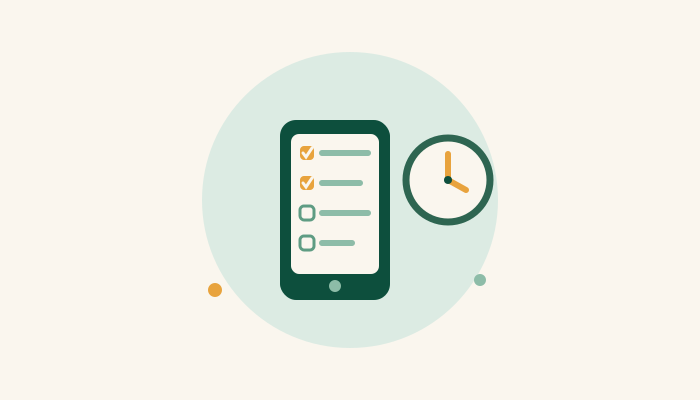
Time management apps help students organise routines, remember exams and juggle assignments, and there is one for every age: visual timers like Bear Focus Timer and KazuTime for little ones, myHomework and EpicWin for the middle years, and Evernote, Trello, Todoist and Google Calendar for teens. But start younger children on a paper calendar first; the concept must exist before the app can serve it.
Time management matters to students for schoolwork and beyond: planned time makes room for outdoor play and hobbies too. The old physical calendar remains the best starting point, especially for smaller children. Once the habit exists, these digital tools carry it further: time trackers, schedulers and calendars that teach real organisational skill.
For the young ones (around 5 to 8)
Bear Focus Timer (BFT). A simple, friendly timer that breaks tasks into chunks without distracting; the bear does the supervising. Ideal from about 5 or 6.
KazuTime. Puppies help children master tasks and see time passing, which is the core lesson at this age; time is invisible until an app or an hourglass makes it visible.
For the middle years (around 9 to 13)
myHomework Student Planner. Tracks homework, projects, deadlines and exams on a clean calendar, with a widget that syncs everything and fires deadline reminders. Free (ad-free version available), and quietly teaches project thinking: take a big assignment, outline the steps, land it on time.
EpicWin. A gamified to-do list: chores and homework earn experience points for a fantasy avatar. Gloriously motivating for kids above 12, and yes, easily fudged, which makes it a nice honesty conversation too.
For teens and beyond
Evernote. The everything-capture tool: notes, schedules, clippings, photos, study plans and even multimedia presentations. Especially useful for students juggling multiple institutions or study alongside work, with checklists, reminders and group collaboration built in.
Trello. To-do lists and projects as visual boards, with collaboration for group projects, from bulletin boards to shared research. Lists run in parallel, integrate with Evernote and friends, and the drag-a-card satisfaction is real.
Todoist. A clean to-do app: one project per class keeps coursework organised, notes and links live in task comments, and everything syncs across devices. A premium tier adds reminders and filters.
Google Calendar. Free, everywhere, and if the school already runs Gmail or Google Classroom, events add themselves. Colour-coded tasks, reminders, and viewing from any browser or phone.
An app cannot give a child the concept of time. It can only manage the concept they already have, which is why the paper calendar and the analogue clock come first.
Two cautions round it out. First, match the tool to the child: an app too old for them becomes clutter, one too young becomes insulting. Second, for children with learning difficulties, time management is often a genuine skill gap, not laziness, and an app works best layered on top of explicitly taught routines rather than instead of them.
Dr. V.S. Gayathri is a Dyslexia Therapist, an Orton-Gillingham trained literacy specialist, and the founder of Flourishing Kids. She has delivered over 4,000 hours of one-to-one reading and spelling intervention, helping children across multiple countries build stronger literacy skills. If deadlines and time slip through your child’s fingers, get in touch for a free 15-minute conversation.